Password Protected Members Area on Homestead / Intuit Website
Homestead / Intuit is website hosting and building software founded in 1996. With Homestead you can easily establish your presence on the Web using any of hundreds of design templates and integrated e-commerce solutions.
With AuthPro you can create password protected members area pages on your Homestead/Intuit website,
Basically to start using AuthPro service you need to paste AuthPro protection code to all pages you want to make protected and accessible by registered members only and add login form to your website so members can login to your members area or register. You will get all codes/links after signing up for AuthPro account and you can always get copy on the Account page of your AuthPro Account Manager.
If you want to link to AuthPro hosted login/registration pages, from main menu select 'Links' in 'Site Navigation Menu' and add new link to AuthPro hosted URL (see pic 1).
If you want to embed AuthPro forms (with deluxe account) or HTML codes in the page editor use Insert -> More -> HTML and paste code in HTML snipped on the page (see pic 2).
To add AuthPro protection code to your members area pages use 'Page Settings' -> Advanced Settings -> head Tag HTML (see pic 3).
Basically to start using AuthPro service you need to paste AuthPro protection code to all pages you want to make protected and accessible by registered members only and add login form to your website so members can login to your members area or register. You will get all codes/links after signing up for AuthPro account and you can always get copy on the Account page of your AuthPro Account Manager.
If you want to link to AuthPro hosted login/registration pages, from main menu select 'Links' in 'Site Navigation Menu' and add new link to AuthPro hosted URL (see pic 1).
If you want to embed AuthPro forms (with deluxe account) or HTML codes in the page editor use Insert -> More -> HTML and paste code in HTML snipped on the page (see pic 2).
To add AuthPro protection code to your members area pages use 'Page Settings' -> Advanced Settings -> head Tag HTML (see pic 3).
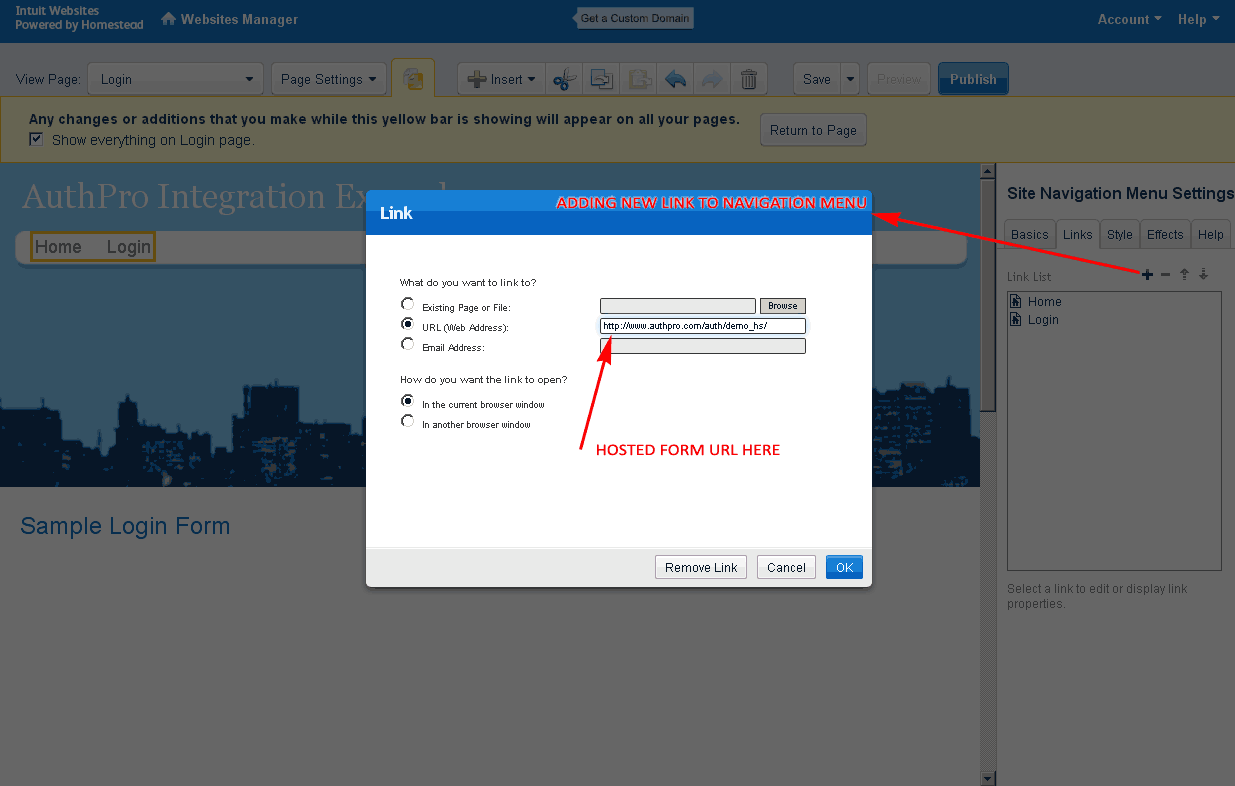
Pic 1: Adding links to AuthPro hosted pages
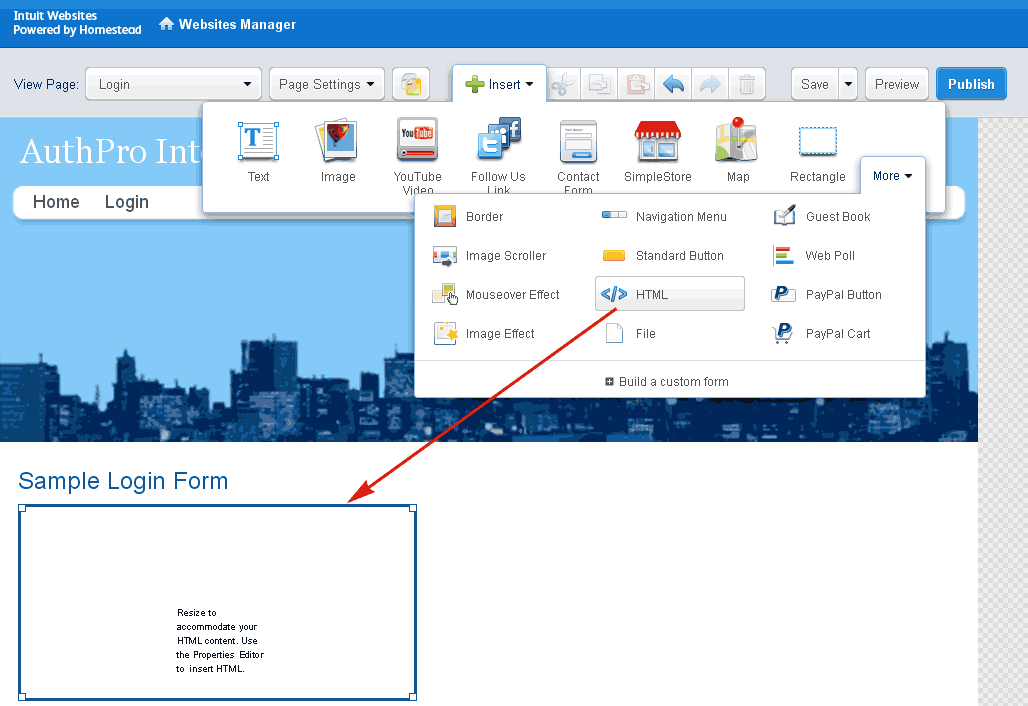
Pic 2: Adding AuthPro HTML codes
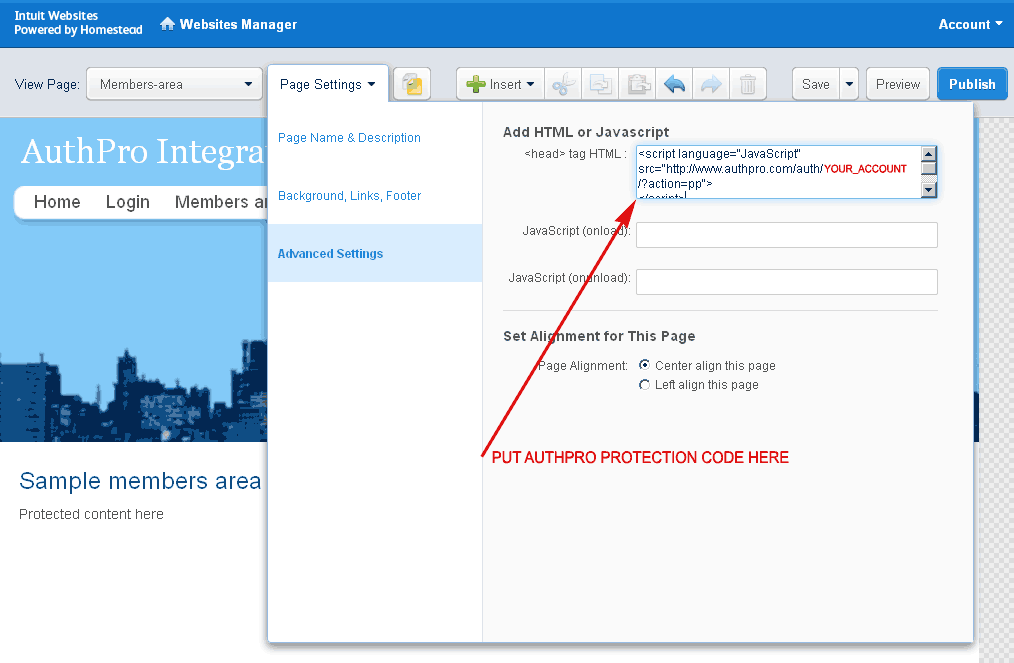
Pic 3: Adding AuthPro protection code
Please contact us if you have any questions.
Don't have an AuthPro account yet? Sign Up now!